If you are a freelancer, consultant, creator, or seasonal business owner, you already know the problem: the U.S. tax system is pay-as-you-go, but your income does not arrive smoothly throughout the year.
I grew up watching my parents run a mid-sized agricultural supply company where spring could be chaotic, summer could be steady, and winter could be painfully quiet. The business did not earn in neat quarters, but tax deadlines still showed up like clockwork. That same mismatch hits a lot of modern businesses, especially anyone with project-based work, launches, harvest seasons, or a commission-heavy pipeline.
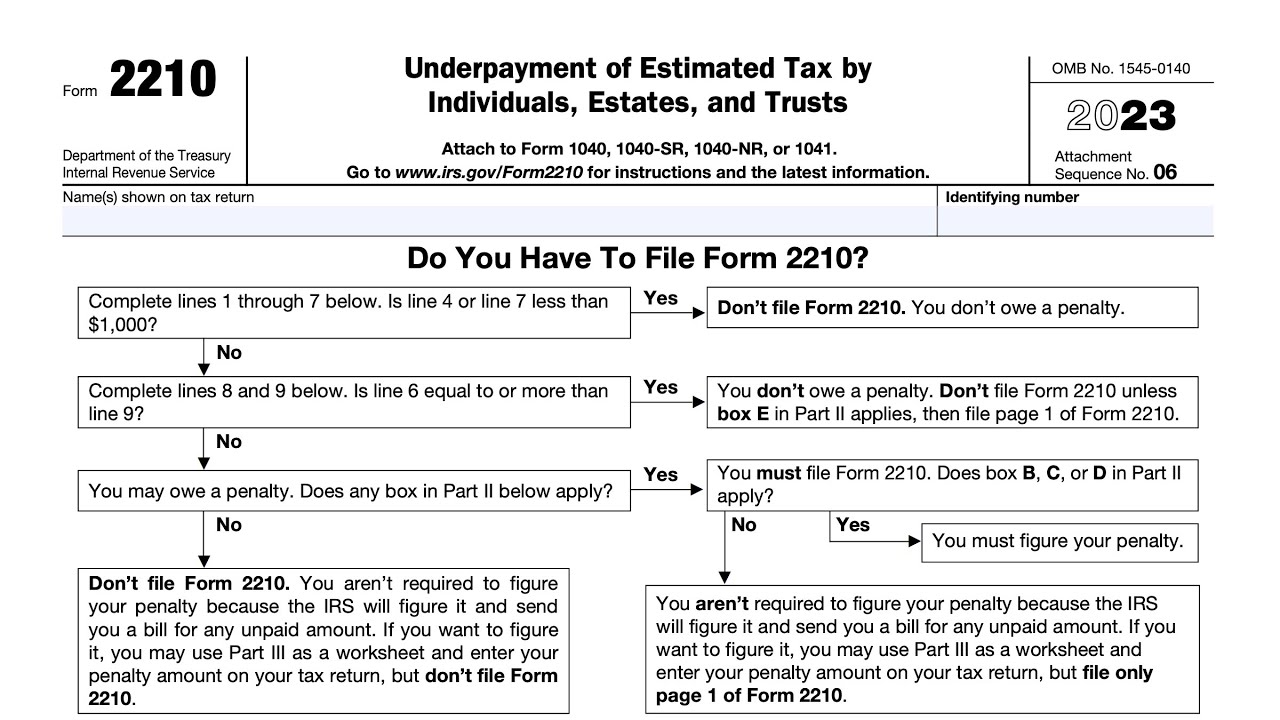
The good news is there is a legitimate IRS method designed for “lumpy” income: the Annualized Income Installment Method, calculated on Form 2210, Schedule AI. Used correctly, it can lower the required installment for earlier quarters and reduce or eliminate underpayment penalties, because you are showing you did not actually have the income yet.
What Schedule AI does
Most people think estimated taxes work like this: take last year’s tax, divide by four, pay that each quarter. That is the “equal installments” approach, and it often works fine.
Schedule AI is different. It lets you calculate what your required payment should have been for each period based on the income you had earned so far. It does that by:
- Breaking the year into IRS-defined measurement periods for calendar-year filers (the first 3 months, first 5 months, first 8 months, and the full year).
- Annualizing each period’s year-to-date income using IRS multipliers so the IRS can compare “apples to apples.”
- Computing a period-specific required installment that can be lower in low-income periods and higher later when income arrives.
This is especially useful when income is back-loaded, seasonal, or tied to a small number of large invoices.
Note: if you are a fiscal-year filer, the cutoffs and factors are different. The concept is the same, but the periods are not the same as the calendar-year version most people see.
Who should use the annualized method
Schedule AI is worth a look if your income pattern resembles any of these:
- Freelancers with big invoices paid irregularly (for example, one client pays $30,000 in June and another pays $40,000 in November).
- Seasonal businesses (tax prep, landscaping, wedding vendors, holiday retail, summer camps).
- Commissioned sales where bonuses land in specific months.
- Creators and course sellers with launch cycles.
- Real estate investors with a property sale creating a one-time spike.
- Anyone who had a job early in the year and then switched to self-employment, or vice versa.
If you earn fairly evenly all year, Schedule AI often does not change much. If your income comes in waves, it can make a dramatic difference.
The key idea: penalties are by period
One point that trips people up: the underpayment penalty is not one single year-end test. It is computed by payment period. So you can “catch up” later and still owe a penalty for earlier periods if the IRS says you should have paid earlier.
Schedule AI is how you show, “I could not have paid earlier because the income was not there yet.”
Important nuance: you can still choose to pay more earlier for peace of mind. Schedule AI is about what the IRS considers required for penalty purposes.
Safe harbor basics
Most underpayment penalty discussions eventually come back to the federal “safe harbor” rules. In plain English, many taxpayers can avoid a penalty if they pay in enough during the year through a mix of withholding and estimated payments, commonly measured as:
- 90% of current-year tax, or
- 100% of prior-year tax (often 110% if your income is above certain thresholds).
Schedule AI does not replace safe harbor planning. It is mainly a way to calculate required installments by period when your income is uneven, which is exactly what matters for the penalty computation.
Periods and due dates
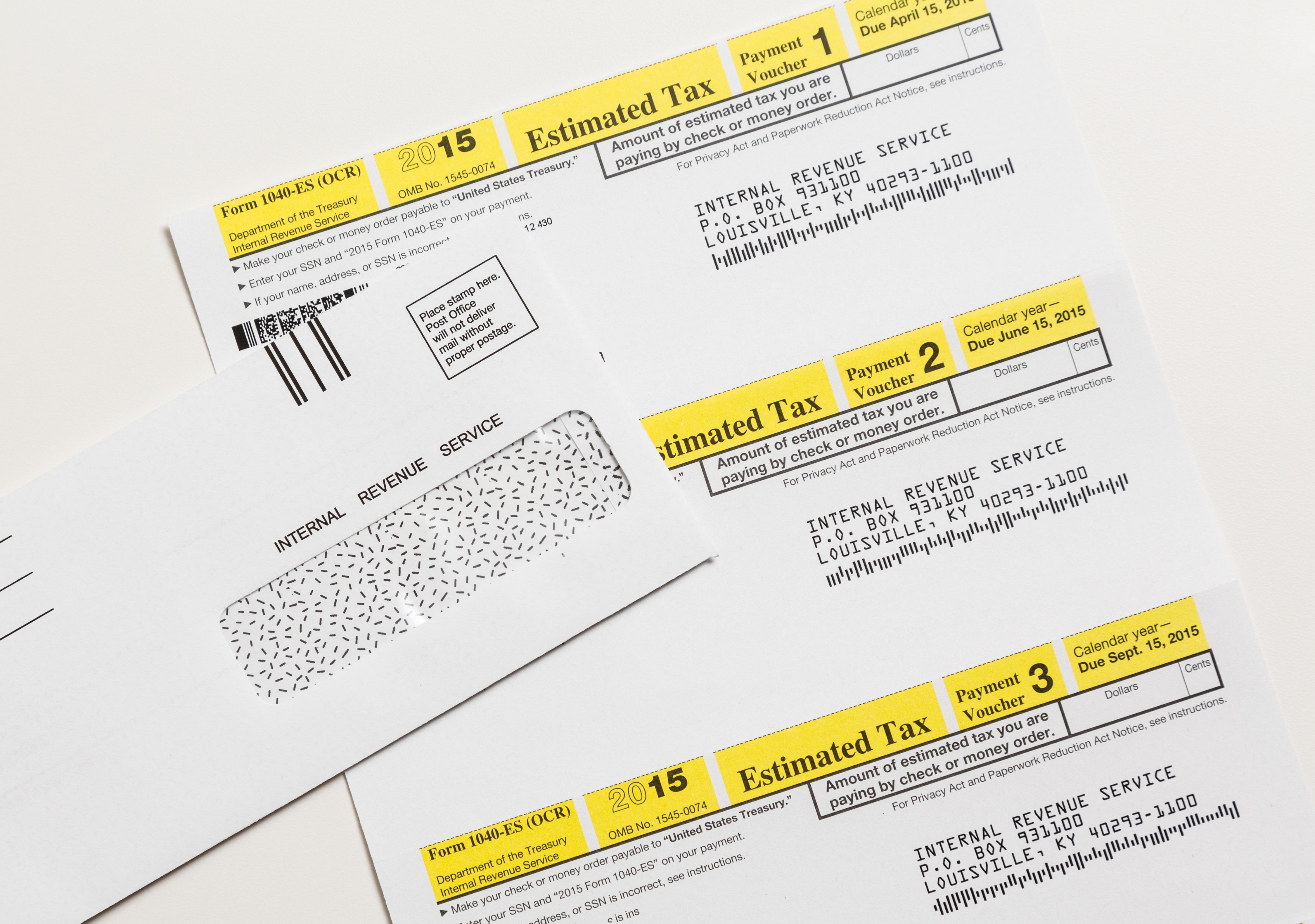
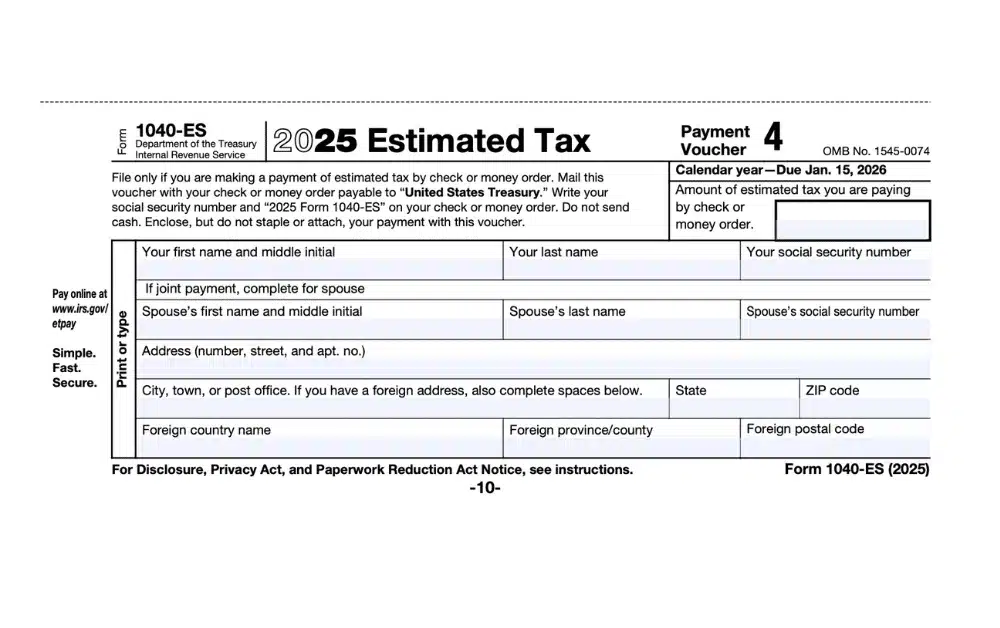
Estimated tax due dates are typically:
- April 15
- June 15
- September 15
- January 15 (following year)
Those dates can shift for weekends, holidays, or disaster relief, so always confirm the actual deadline for the year you are in.
Schedule AI uses year-to-date periods that correspond to those due dates for calendar-year taxpayers. In plain English, you are essentially doing a mini tax return four times using income earned through:
- March 31 for the first installment
- May 31 for the second installment
- August 31 for the third installment
- December 31 for the fourth installment
The form then applies IRS annualization factors so each period can be projected to a full-year equivalent before calculating tax.
Records you need
The annualized method is only as good as your ability to substantiate your income and deductions by date. In practice, that means you need clean, time-stamped records that can produce a year-to-date profit and loss for each cutoff date.
Income records
- Invoices issued and payments received with dates (keep both if you invoice ahead of payment).
- 1099-NEC / 1099-K forms (useful for year-end reconciliation, but not enough by themselves for quarter-by-quarter timing).
- Payment processor exports (Stripe, PayPal, Square) showing transaction dates and fees.
- Bank deposit detail so you can trace lump payments.
Expense records
- Receipts with purchase date and business purpose noted.
- Software subscriptions and recurring tools, ideally categorized in bookkeeping software.
- Contractor payments with pay dates and W-9s on file.
- Home office and mileage logs with dates (especially important if the deduction is significant).
Tax payment records
- Dates and amounts of estimated payments (IRS Direct Pay confirmations or EFTPS records).
- Withholding from any W-2 job, pension, or spouse’s job. By default, withholding is treated as paid evenly throughout the year, though Form 2210 provides a way in certain cases to treat withholding as paid when it was actually withheld.

A lumpy-income example
Let’s walk a simplified, realistic scenario so you can see why Schedule AI exists. This is intentionally simplified and does not recreate every bracket, deduction, and self-employment tax line item. The goal is to show timing, not to be a perfect tax model.
Scenario
- Single filer, self-employed consultant
- Prior year total tax: $20,000
- Current year total tax ends up around $20,000 (assume significant deductions and other factors, so we can keep the comparison focused on timing)
- Income is very back-loaded
Here is the business profit pattern (after expenses), measured by the Schedule AI cutoffs:
- Jan 1 to Mar 31: $5,000 profit
- Jan 1 to May 31: $8,000 profit
- Jan 1 to Aug 31: $25,000 profit
- Jan 1 to Dec 31: $80,000 profit
Notice what is happening: most of the year’s income arrives late.
Method 1: equal installments
If you follow the common safe harbor approach based on last year’s tax, you might pay:
- $5,000 by April 15
- $5,000 by June 15
- $5,000 by September 15
- $5,000 by January 15
This can be fine, but it can also feel brutal if you do not actually have the cash in April and June because the work has not hit yet.
Method 2: Schedule AI matches timing
Schedule AI asks: given only $5,000 of profit by March 31, would the IRS reasonably expect you to have paid $5,000 of tax by April 15?
In many cases, the answer is no.
Without recreating every line of the form (it is math-heavy), here is the intuitive flow:
- Quarter 1: With only $5,000 profit year-to-date, your annualized income projection may still be modest. Your required installment for Q1 can be much lower than $5,000.
- Quarter 2: At $8,000 profit by May 31, you still may not “owe” much under an annualized projection. The required installment can remain relatively low.
- Quarter 3: By Aug 31, profit is $25,000. Now the annualized projection jumps. Your required installment increases, and you begin catching up.
- Quarter 4: By year-end, you reconcile to the full-year tax, paying the remainder by January 15 or through your final return.
The point is not that Schedule AI lowers your total tax. It does not. It can lower the amount that is considered required earlier, which is what drives underpayment penalties.
If you want a quick gut check, ask yourself: Would I have been able to pay the first two quarters if I paid four equal amounts? If the honest answer is no because the income simply was not there yet, Schedule AI is often worth it.
How to complete Schedule AI
Most filers encounter Schedule AI after the fact, when preparing a return and discovering a potential underpayment penalty. Your tax software might ask something like, “Was your income uneven during the year?” That is your cue that Schedule AI could help.
At a high level, here is what you are doing:
Step 1: Start with Form 2210
Form 2210 calculates whether you owe an underpayment penalty and, if so, how much. Schedule AI is an attachment that can reduce the penalty by recalculating required installments based on actual income timing.
Also worth knowing: some taxpayers do not have to file Form 2210 when the IRS can compute the penalty automatically. But if you are using the annualized method to adjust the required installments, you generally do include Form 2210 with Schedule AI so the IRS sees the calculation you are relying on.
Step 2: Build year-to-date numbers
You will need your income and deductions through each cutoff date. For a freelancer, that usually means a P&L report as of March 31, May 31, and August 31, plus full-year totals.
Step 3: Apply the multipliers
Schedule AI uses multipliers to convert year-to-date income into an annualized amount. This is what allows the IRS to estimate what your full-year tax would look like if the year continued at that pace.
Step 4: Compute tentative tax and required installments
The form then calculates a tentative tax for each annualized period and converts it into required installments. Those required installments flow back into Form 2210 to determine whether there is any underpayment for each installment due date.
Step 5: Compare to what you paid and when
Timing matters. Payments made after a due date generally do not erase the fact that an underpayment existed for that earlier period. However, later payments can reduce how long the underpayment remained outstanding, which can reduce the penalty amount. Schedule AI’s job is to show that the earlier underpayment may not have existed in the first place because the income was not there yet.

When Schedule AI helps most
- Helps most: income is genuinely low early in the year and spikes later, you have good records by date, and a penalty is being triggered under the standard approach.
- Usually does not help: you had healthy early income but skipped payments anyway, or your income is steady and equal installments already match reality.
Also remember: using Schedule AI at filing time does not change what you already paid. It changes whether those payments were considered sufficient for each period for penalty purposes. You still may owe a balance at filing if you simply did not pay enough overall.
Common mistakes
1) Using Schedule AI to pay less tax overall
It does not lower tax. It can reduce penalties and help you align cash flow with payment timing.
2) Guessing at year-to-date profit
Schedule AI is only as defensible as your records. If you are going to use it, be able to produce period-specific support for income and deductions.
3) Forgetting self-employment tax
Freelancers often budget for income tax and forget self-employment tax. Your annualized calculation needs to reflect the full picture your software or preparer is using.
4) Mixing cash and accrual timing
Most sole proprietors use cash basis accounting (income when received, expenses when paid). If you invoice in March but get paid in July, that timing difference matters for annualizing. Be consistent with the accounting method used on your return.
5) Paying nothing all year and hoping Schedule AI will fix it
If you earn significant income earlier in the year and simply skip payments, Schedule AI may not help. It helps when the income pattern supports lower early required installments, not when payments are skipped despite healthy early income.
Is it worth it?
Schedule AI adds complexity, so I like to use a simple decision filter:
- Your income is materially uneven, and early periods were truly low income.
- You faced or are facing a penalty under the standard method.
- You can produce clean records by period without heroic spreadsheet work.
If all three are true, it is often worth running the numbers. If only one is true, your time may be better spent improving your estimated payment system going forward.
Cash flow planning
One emotional downside to Schedule AI is that it can make it feel like you are safe early, and then Q3 and Q4 hit hard.
What I prefer for most clients is a hybrid approach:
- Use Schedule AI logic for penalty protection if needed.
- Still set aside a percentage of every payment into a separate tax savings account, even in low-income months.
- When a big invoice hits, earmark taxes before lifestyle creep takes over.
This keeps you compliant without creating a cash crunch later.
One more thing: your state may have its own estimated tax rules, due dates, and penalties. Schedule AI is a federal concept, but state planning still matters.
FAQ
Do I file Schedule AI with my return?
If you are using it to reduce or eliminate an underpayment penalty, it is filed as part of Form 2210 with your tax return. Many people only include it when needed to calculate the penalty correctly.
Can I use Schedule AI during the year?
Yes, conceptually. You can estimate your required installments using the annualized idea as the year unfolds. But Schedule AI itself is commonly completed at tax time because it depends on actual year-to-date results.
Does annualizing change the due dates?
No. It changes what is considered required by each due date, not the deadlines themselves.
What if I have W-2 withholding and freelance income?
This is very common. Withholding can help cover required payments, and because withholding is generally treated as paid evenly throughout the year, it can reduce penalty exposure. In certain cases, Form 2210 allows withholding to be treated as paid when it was actually withheld. A tax pro or robust software can help you model what helps most.
Is Schedule AI only for businesses?
No. It can apply to anyone with uneven income, including investors with a large capital gain late in the year, or employees with a big year-end bonus.
Bottom line
If your income arrives unevenly, the IRS does not require you to pretend it arrived evenly. Form 2210 Schedule AI is the mechanism that lets you prove your early-period tax payments were appropriate for the income you actually had at the time.
If you want the practical takeaway, it is this: keep period-specific income and expense records, and when you have a lumpy year, run both methods. If the annualized method lowers the early required installments, it can be the difference between a frustrating penalty and a clean finish.